


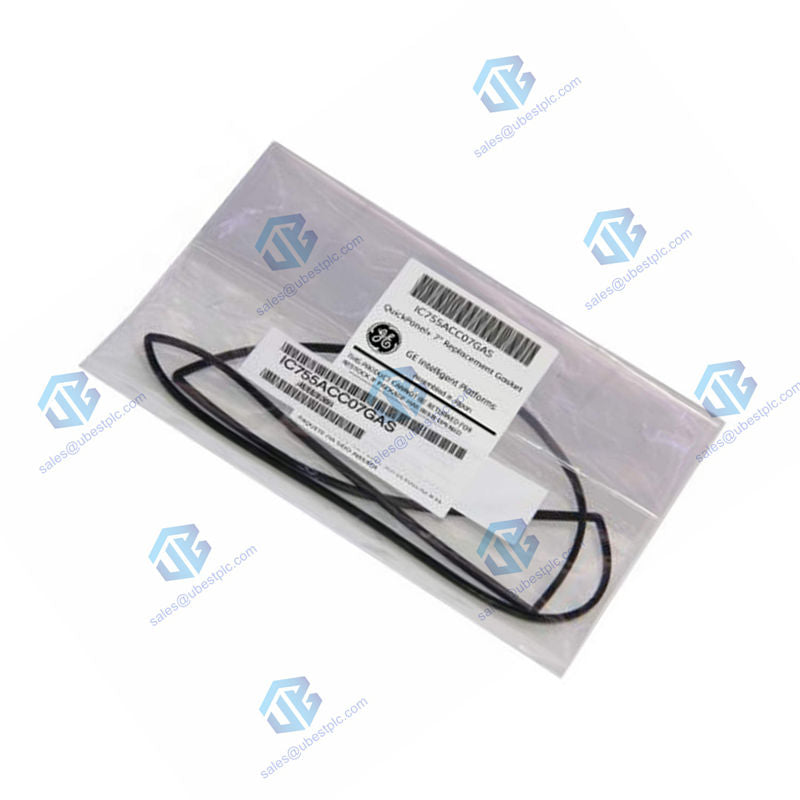
IC755ACC07GAS GE Gasket Kit | 7-inch QuickPanel
UBEST – Αξιόπιστος Παγκόσμιος Προμηθευτής Ανταλλακτικών Αυτοματισμού
Προσφέρουμε μια μεγάλη γκάμα διαθέσιμων ανταλλακτικών βιομηχανικού αυτοματισμού. Όλα τα προϊόντα συνοδεύονται από 12μηνη εγγύηση και 30ήμερη επιστροφή χρημάτων για θέματα ποιότητας.
GE QuickPanel+ IC755ACC07GAS Replacement Gasket Kit
Restore the seal and protection of your HMI. The GE IC755ACC07GAS is an official replacement gasket kit for 7-inch QuickPanel+ operator interfaces. This kit includes everything you need to replace the worn seal on your device, ensuring it maintains its IP rating and protection against dust and moisture.
This Kit Solves Your Problem:
- Restores Water & Dust Seal: Replaces the worn gasket to keep your HMI protected.
- Perfect Fit: Designed specifically for 7-inch QuickPanel+ models for a secure seal.
- Complete Kit: Includes the gasket and necessary mounting brackets.
- Easy to Install: Comes with clear instructions for a straightforward replacement.
- Prevents Downtime: Quickly refurbish your existing HMI instead of replacing the whole unit.
Product Specifications
Brand: GE (Emerson)
Part Number: IC755ACC07GAS
Part Type: Replacement Gasket & Mounting Kit
Compatibility: 7-inch GE QuickPanel+ Operator Interface Terminals
Included Components: Gasket, Mounting Brackets, Mounting Clamps
Required Tool: Phillips Head Screwdriver
Installation Torque: 0.3 Newton-meters (N-m)
Storage Temperature: 0°C to 50°C (32°F to 122°F)
Storage Humidity: Up to 85% RH (non-condensing)
Unit Weight: 1.36 kg (3.00 lbs)
Step-by-Step Installation Guide
1. Power Down: Completely disconnect power and all cables from the QuickPanel+ device.
2. Remove Old Gasket: Carefully take the old, worn gasket out of the bezel channels.
3. Insert New Gasket: Place the new IC755ACC07GAS gasket into the channels around the device's bezel. Ensure it sits evenly.
4. Secure with Brackets: Use the included mounting brackets and clamps. Tighten the screws to the specified torque of 0.3 N-m. Do not over-tighten.
5. Reinstall: Once the gasket is secured, you can reconnect cables and power to the HMI and remount it in the panel.
Warranty & Quality Promise
We guarantee the quality of this replacement part. The GE IC755ACC07GAS gasket kit is covered by a 12-month warranty against defects in material.
Important FAQs for Installation
Why is replacing the gasket important?
The gasket is critical for maintaining the Ingress Protection (IP) rating of your HMI. A worn gasket allows dust and moisture inside, which can cause circuit board failure and costly downtime.
How do I know if my gasket needs replacement?
Look for visible cracks, brittleness, flattening, or if the HMI feels loose in the panel. If you see dust inside the display, the seal has failed.
Can I reuse the old mounting hardware?
It is not recommended. Always use the new brackets and clamps provided in the IC755ACC07GAS kit to ensure proper pressure and seal with the new gasket.
What happens if I over-torque the mounting clamps?
Over-tightening can deform the new gasket, create an uneven seal, and potentially damage the HMI housing. Use a torque screwdriver if possible.
Is this compatible with my 7-inch QuickPanel View (not Plus)?
No. The IC755ACC07GAS is specifically designed for the QuickPanel+ series bezel design. Please check your HMI's exact model number.
Shipping Information
This item is in stock and ready to ship. We use FedEx, UPS, and DHL for fast and reliable delivery to your facility.
© 2025 Ubest Automation Limited. All rights reserved.
Original Source: https://www.ubestplc.com/
Contact: sales@ubestplc.com Phone: +86 180 3000 5825