


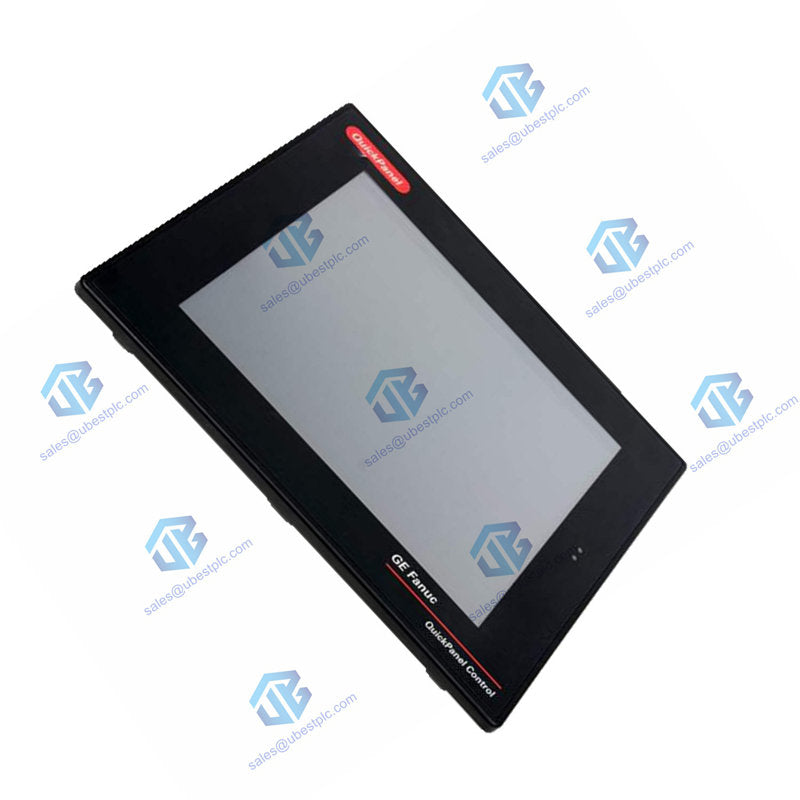
GE QuickPanel IC754VBI08CTD 8 HMI Touchscreen | NEMA
UBEST – Pouzdani globalni dobavljač dijelova za automatizaciju
Nudimo širok asortiman industrijskih rezervnih dijelova za automatizaciju na skladištu. Svi proizvodi dolaze s 12-mjesečnim jamstvom i 30-dnevnim povratom novca zbog problema s kvalitetom.
GE QuickPanel IC754VBI08CTD 8-inch HMI Touchscreen
Compact and reliable operator interface for industrial machines. The IC754VBI08CTD offers a bright 8-inch color display with robust connectivity. It's built to withstand tough conditions and provide clear control.
Complete Technical Specifications
Brand & Model: GE Fanuc / Emerson QuickPanel IC754VBI08CTD
Product Type: Industrial HMI (Human Machine Interface)
Display Size & Type: 8-inch Color TFT, Resistive Touch
Display Resolution: 800 x 600 pixels, 65K colors
Processor: XScale PXA255, 300 MHz
Operating System: Microsoft Windows CE
Memory: 32 MB Flash, 32 MB DRAM (Expandable via CF card)
Input Power: 12 - 30 VDC
Communication Ports: RS-232/485 (COM1), 10/100 Ethernet
Enclosure Rating: NEMA 4 / 4X (Front Bezel)
Operating Temperature: 0°C to 50°C (32°F to 122°F)
Backlight: CCFL, 50,000-hour half-life, 400 NITS
Weight: 6.63 lbs (3.01 kg)
Included Cable: HMI-CAB-C94 Communication Cable
Installation & Setup Guide
Mount the IC754VBI08CTD panel in your desired location. Connect a 12-30V DC power source. Use the included HMI-CAB-C94 cable or Ethernet port to link to your PLC. Power on the unit; the status LED will indicate operation. Use Proficy Machine Edition software on a PC to develop and download your HMI application.
Package & Warranty
Includes one GE QuickPanel IC754VBI08CTD unit and the HMI-CAB-C94 communication cable. This product is covered by a 12-month warranty. Fast international shipping is available via FedEx, UPS, or DHL.
Frequently Asked Questions
What software is needed to program this HMI?
You need Proficy View-Machine Edition software (or a similar GE Emerson suite) on a Windows PC to create the operator screens, define tags, and download the project to the panel.
Can I increase the storage capacity?
Yes, you can add a CompactFlash card (Type I/II, up to 512MB) to expand storage for logs, recipes, or larger applications.
Is the touchscreen suitable for use with gloves?
Yes, the resistive touch technology typically works well with a firm press from a gloved finger or a stylus, unlike some capacitive screens.
What happens when the backlight reaches end of life?
The CCFL backlight has a 50,000-hour half-life but is not user-replaceable. The panel would need to be replaced or serviced if the backlight fails.
How do I know the panel is working correctly?
Check the two LED indicators. The left one shows power status. The right, tri-color LED is programmable via your application to show alarms, running status, or other conditions.
© 2025 Ubest Automation Limited. All rights reserved.
Original Source: https://www.ubestplc.com/
Contact: sales@ubestplc.com | Phone: +86 180 3000 5825