


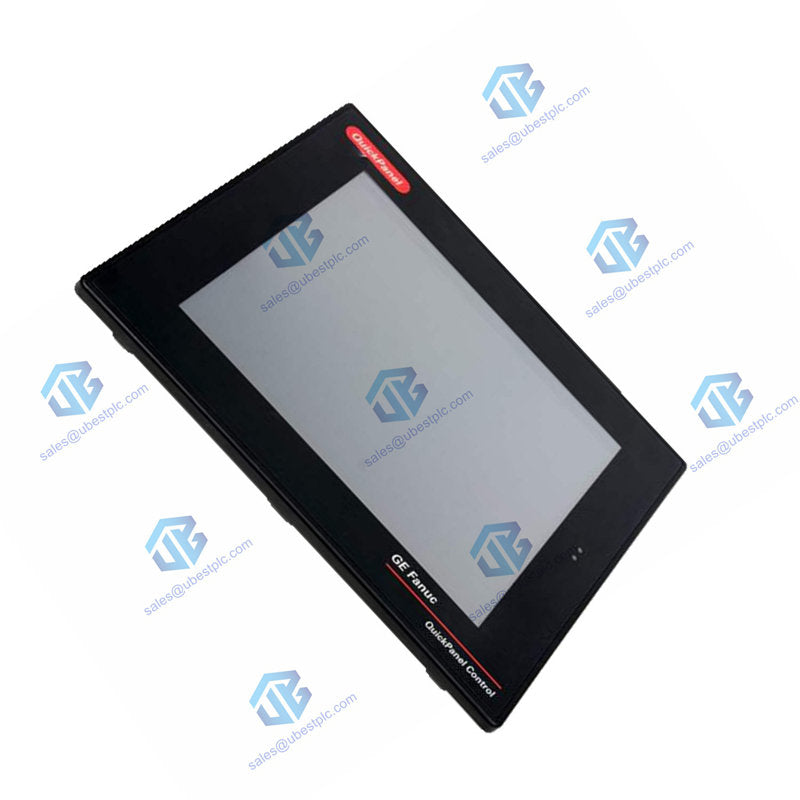
GE QuickPanel IC754VBI08CTD 8 HMI Touchscreen | NEMA
UBEST – Сенімді Ғаламдық Автоматтандыру Бөліктерінің Жеткізушісі
Бізде қорда бар өнеркәсіптік автоматтандыру қосалқы бөлшектерінің кең таңдауы бар. Барлық өнімдерге 12 айлық кепілдік беріледі және сапа мәселелері бойынша 30 күндік қайтару ұсынылады.
GE QuickPanel IC754VBI08CTD 8-inch HMI Touchscreen
Compact and reliable operator interface for industrial machines. The IC754VBI08CTD offers a bright 8-inch color display with robust connectivity. It's built to withstand tough conditions and provide clear control.
Complete Technical Specifications
Brand & Model: GE Fanuc / Emerson QuickPanel IC754VBI08CTD
Product Type: Industrial HMI (Human Machine Interface)
Display Size & Type: 8-inch Color TFT, Resistive Touch
Display Resolution: 800 x 600 pixels, 65K colors
Processor: XScale PXA255, 300 MHz
Operating System: Microsoft Windows CE
Memory: 32 MB Flash, 32 MB DRAM (Expandable via CF card)
Input Power: 12 - 30 VDC
Communication Ports: RS-232/485 (COM1), 10/100 Ethernet
Enclosure Rating: NEMA 4 / 4X (Front Bezel)
Operating Temperature: 0°C to 50°C (32°F to 122°F)
Backlight: CCFL, 50,000-hour half-life, 400 NITS
Weight: 6.63 lbs (3.01 kg)
Included Cable: HMI-CAB-C94 Communication Cable
Installation & Setup Guide
Mount the IC754VBI08CTD panel in your desired location. Connect a 12-30V DC power source. Use the included HMI-CAB-C94 cable or Ethernet port to link to your PLC. Power on the unit; the status LED will indicate operation. Use Proficy Machine Edition software on a PC to develop and download your HMI application.
Package & Warranty
Includes one GE QuickPanel IC754VBI08CTD unit and the HMI-CAB-C94 communication cable. This product is covered by a 12-month warranty. Fast international shipping is available via FedEx, UPS, or DHL.
Frequently Asked Questions
What software is needed to program this HMI?
You need Proficy View-Machine Edition software (or a similar GE Emerson suite) on a Windows PC to create the operator screens, define tags, and download the project to the panel.
Can I increase the storage capacity?
Yes, you can add a CompactFlash card (Type I/II, up to 512MB) to expand storage for logs, recipes, or larger applications.
Is the touchscreen suitable for use with gloves?
Yes, the resistive touch technology typically works well with a firm press from a gloved finger or a stylus, unlike some capacitive screens.
What happens when the backlight reaches end of life?
The CCFL backlight has a 50,000-hour half-life but is not user-replaceable. The panel would need to be replaced or serviced if the backlight fails.
How do I know the panel is working correctly?
Check the two LED indicators. The left one shows power status. The right, tri-color LED is programmable via your application to show alarms, running status, or other conditions.
© 2025 Ubest Automation Limited. All rights reserved.
Original Source: https://www.ubestplc.com/
Contact: sales@ubestplc.com | Phone: +86 180 3000 5825