


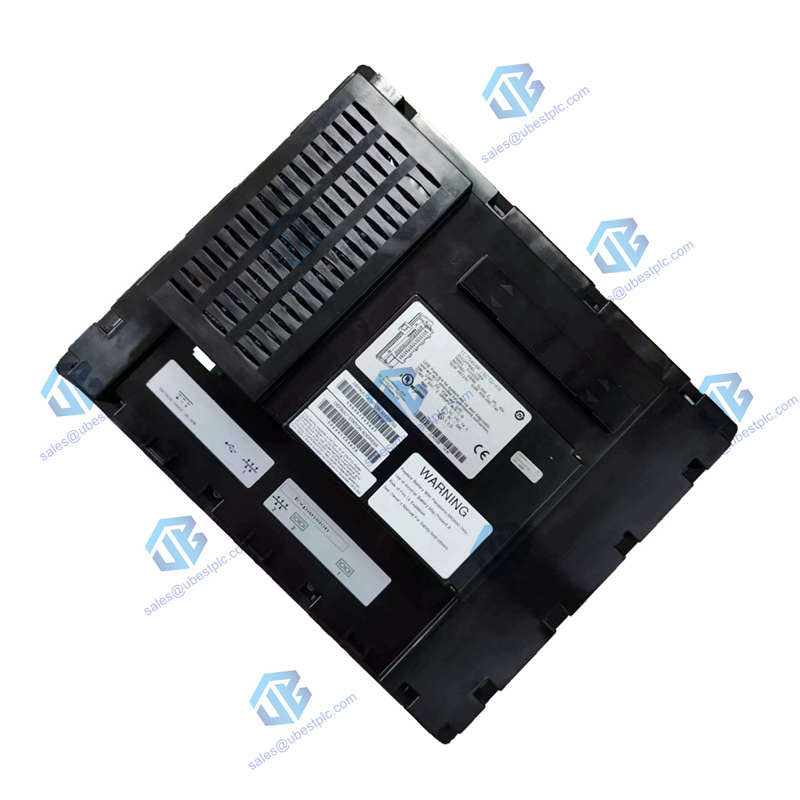
GE QuickPanel IC754VBF15CTD HMI Touchscreen | NEMA
UBEST – Trusted Global Automation Parts Supplier
We offer a wide range of in-stock industrial automation spare parts. All products come with a 12-month warranty and a 30-day refund for quality issues.
GE QuickPanel IC754VBF15CTD 15-inch HMI Touchscreen
Robust industrial operator interface for demanding environments. The IC754VBF15CTD combines a bright 15-inch display with a powerful controller. It's designed for reliable communication and control in harsh factory settings.
Complete Technical Specifications
Brand & Model: GE Fanuc / Emerson QuickPanel IC754VBF15CTD
Product Type: Industrial HMI (Human Machine Interface)
Display Size & Type: 15-inch Color TFT Touchscreen
Input Power: 12 VDC or 24 VDC
Memory: 64 MB
Operating System: Microsoft Windows Embedded Compact 7
Communication Ports: RS-232, RS-485, Ethernet (10/100 Mbps)
Enclosure Rating: NEMA 4x / 12 (Front Bezel)
Weight: 32.06 lbs (14.54 kg)
Included Cable: HMI-CABC93 Communication Cable
Status Indicators: Tri-color LED, Buzzer, Dual Ethernet LEDs
Processor: 32-bit
Installation & Setup Guide
Mount the IC754VBF15CTD panel in your control cabinet or on a machine. Connect the 12V or 24V DC power supply. Use the provided HMI-CABC93 cable or Ethernet to connect to your PLC network. Power on the unit; the green LED indicates it's ready. Load your application software via the Ethernet port or memory card.
Package & Warranty
Includes one GE QuickPanel IC754VBF15CTD unit and the HMI-CABC93 communication cable. This product is backed by a 12-month warranty. We ship quickly worldwide via FedEx, UPS, or DHL.
Frequently Asked Questions
What does NEMA 4x/12 rating mean?
It means the front panel is sealed against dust, water sprays, and corrosion. It's suitable for use indoors where washdowns, dirt, or oil mist are present.
Can I connect it to multiple PLC brands?
Yes, the IC754VBF15CTD supports communication drivers for many major PLC brands (like GE, Siemens, Allen-Bradley) via its serial and Ethernet ports, allowing flexible integration.
How is the user program stored and saved?
The operating system and your application are stored in non-volatile flash memory. User changes are automatically saved back to flash, so no battery is needed to retain data.
What do the different LED colors indicate?
Amber = Starting up. Solid Green = Running normally. Blinking Green = Backlight off. Blinking Red = Backlight failure. Off = No power.
What software is used to create HMI applications for this panel?
You typically use Proficy Machine Edition or a similar GE Emerson programming software to develop and download the operator interface screens and logic.
© 2025 Ubest Automation Limited. All rights reserved.
Original Source: https://www.ubestplc.com/
Contact: sales@ubestplc.com | Phone: +86 180 3000 5825